
FOTOVENT / Photo and video player for Windows and Mac
A screen for your audience.
A panel for you.
FotoVent Desktop runs on the computer connected to your display. You control the sequence; photographers and authorised colleagues can upload from their browsers.
Keep playback separate from the controls
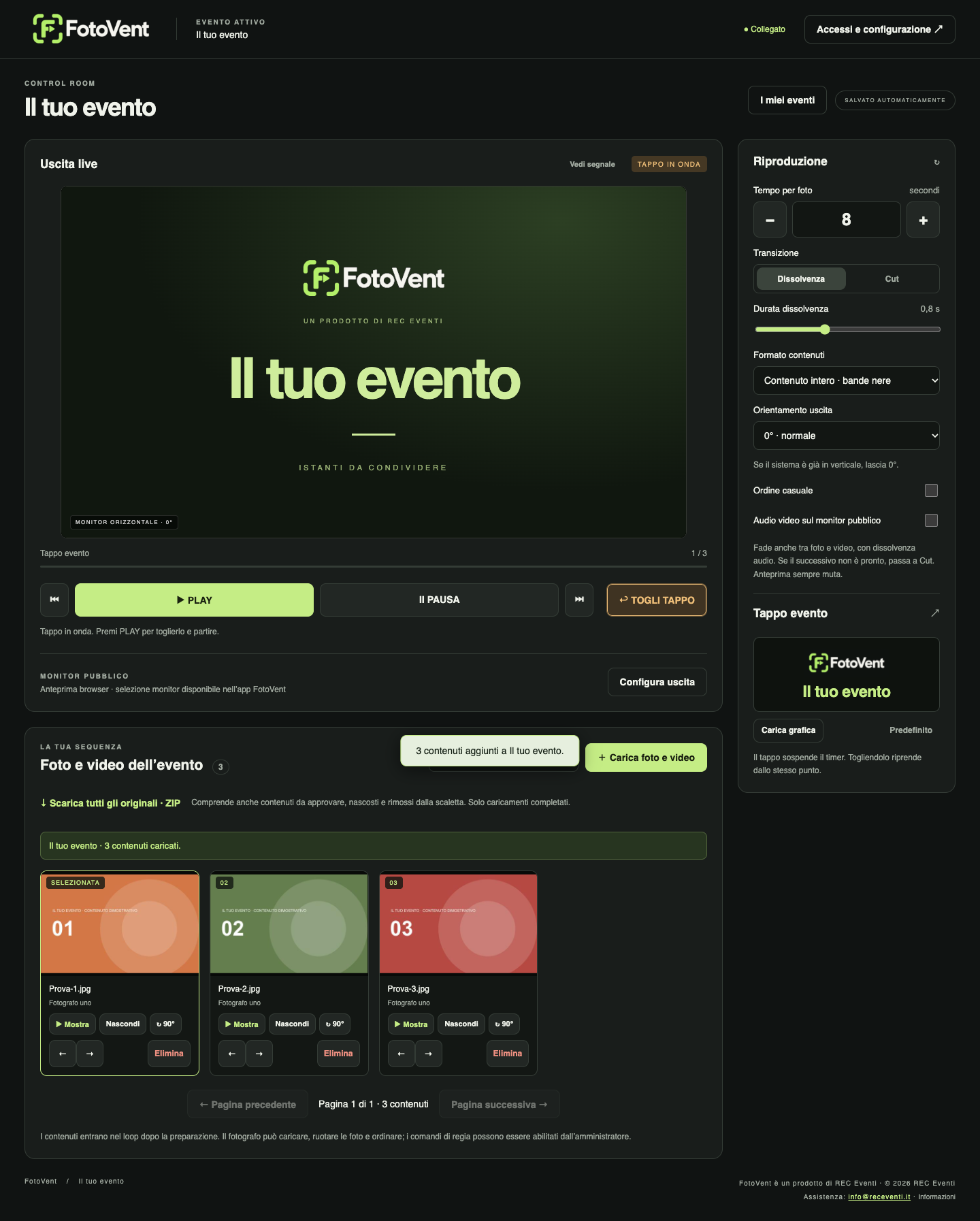
Use an extended second display, or play full-screen on the main display. Escape closes playback on the main display while upload and browser management remain available. Rotate the output in 90° steps, choose fit or fill and check the preview.
Set the pace
Reorder media, rotate individual photos and set how long each photo stays on screen. Choose a fade or a cut. Videos move on when they finish. Use a custom holding screen between activities.
Video prepared for playback
Compatible videos are converted to H.264 at 25 fps. Choose Full HD or 4K for the project; smaller sources are not automatically enlarged. Desktop retains original files. Unsupported codecs and damaged files may prevent conversion.
Choose the access each person needs
Photographers can upload, arrange and rotate content. The administrator decides whether they may delete items or control playback. Guest QR upload, when included in the licence, provides an upload-only page. Administrators manage settings and can export originals.
Free or Lifetime?
Desktop Free allows up to 50 photos and videos per event. Lifetime removes that limit and includes event scheduling, brightness schedules and local guest uploads. It covers one computer at a time, is transferable after deactivation and requires an online licence check at least every 30 days. Connect includes unrestricted local use while its subscription is active.
Download Desktop →